


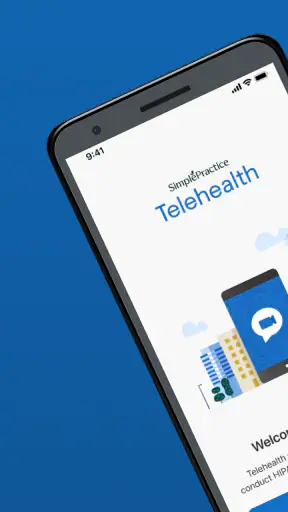
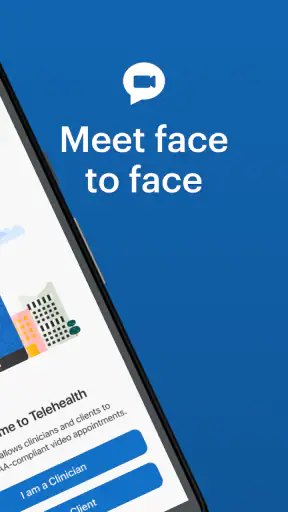


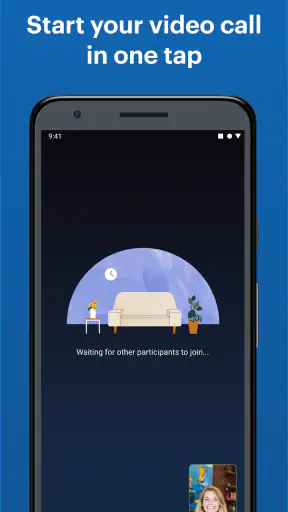
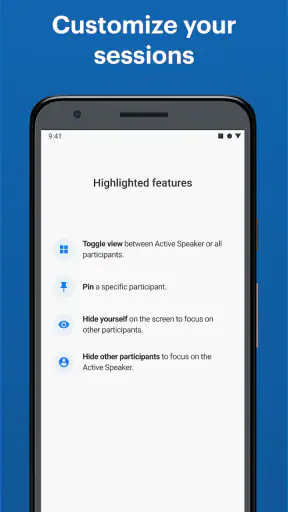
Telehealth by SimplePractice is the kind of medical app I would keep ready for a scheduled appointment rather than open casually every day. Its purpose is focused: it gives patients a way to attend secure video appointments from a mobile device. After trying it as a patient-facing tool, I found that its value depends less on extra features and more on whether your healthcare professional already uses the SimplePractice system. When that connection is in place, the app can remove much of the hassle from a remote visit.
I like that the experience is straightforward. You are not entering a social network, browsing a large medical marketplace, or trying to manage unrelated wellness content. The app is built around joining a remote consultation. That narrow focus makes sense for people who want a simple path from an appointment reminder to a conversation with a clinician, especially when travel, mobility, distance, or a busy schedule makes an in-person visit inconvenient.
How Telehealth feels in everyday use
A focused tool for joining a remote appointment
The first thing I noticed is that this is not really an app you choose independently in the same way you might choose a meditation app or symptom tracker. Your therapist, counselor, or other healthcare professional generally needs to use SimplePractice on their side. In practical terms, that means the most important question is not whether the app looks appealing in the store. It is whether your provider has invited you to use it for a video appointment.
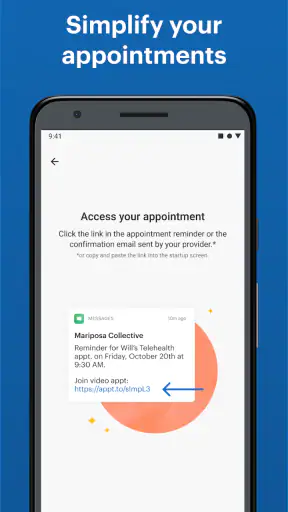
Once that relationship is established, the workflow is easy to understand. I would treat the appointment notice as the starting point, prepare a quiet place, check the phone connection, and use the app when it is time to meet. That is a much better experience than searching through email threads for an old video link or switching between several communication apps while trying to protect a private conversation.
The app’s medical focus also changes how I judge it. A video call for healthcare needs to feel calm and dependable, not entertaining. Telehealth by SimplePractice does not need a stream of distracting features to be useful. Its strongest quality is the reduction of steps between the patient and the scheduled conversation. The best reason to use it is continuity with a provider who already works through SimplePractice.
Where it fits in a patient’s routine
A realistic example would be a counseling appointment during a workday. Instead of taking time to travel across town, I could reserve a private room, silence unrelated notifications, check that my phone is charged, and join from the same device I use for other daily tasks. That does not make the appointment effortless—privacy and a stable connection still matter—but it can make attendance more realistic when the alternative is a long commute.
It can also help people who find unfamiliar technology stressful. A general-purpose video platform may offer many controls, but those controls can become clutter when all you want is to speak with your clinician. A dedicated telehealth route gives the appointment a clearer purpose. For an older family member or someone who is not comfortable with complicated software, that focus may be more valuable than an impressive feature list.
There is an important boundary, though. I would not treat the app as a replacement for urgent medical care. A scheduled video appointment is different from an emergency service, a hospital, or a direct crisis response. If a situation requires immediate attention, waiting for an app-based appointment would be the wrong choice. The app is best understood as a channel for planned care, not as a universal medical solution.
What the current release tells me
The current version is 4.2.3, and the app has been available since May 3, 2018. That history matters because it suggests this is an established patient tool rather than a brand-new experiment. I see the release number as a sign that the product has gone through an ongoing period of maintenance and refinement, although a version number alone does not tell me exactly which changes a patient will notice.
I would be careful not to confuse age with quality. An app that has existed for several years can be reassuring because the basic concept has had time to mature, but it can also feel less modern than newer video services. In my experience, the right question is whether the current workflow is reliable for your provider’s appointments, not whether the interface has the newest visual style.
The app is free to install, which removes an obvious barrier for patients. That does not mean every aspect of care is free; the cost of an appointment is determined by the healthcare professional, clinic, insurance arrangement, or other care relationship rather than by the download itself. I appreciate this distinction because it prevents a common misunderstanding: a free patient app is a way to access a service, not proof that the medical service carries no charge.
Changes and product maturity from a user’s perspective
SimplePractice is the developer behind the app, and its broader identity is connected to professional practice management. For patients, that background is relevant because the video visit is likely part of a larger provider workflow rather than a standalone calling product. The benefit is a more purpose-built connection between the clinician’s appointment process and the patient’s call. The trade-off is that the patient has less reason to install it unless the clinician specifically uses that system.
I would describe the product’s evolution as practical rather than flashy. The important progress for an app like this is not necessarily a new entertainment function or a dramatic redesign. It is the gradual improvement of the path from invitation to appointment, along with the confidence that the app remains available when a provider schedules a remote session. The confirmed current version gives users a clear reference point, but I would still check the app store before an important appointment so the installed version is current.
This is also where expectations need to stay realistic. A release number does not guarantee perfect performance on every phone, network, or operating system. The minimum supported operating system is Android 7.0, so people using older devices should pay attention to compatibility before relying on the app. Even on a compatible phone, camera permissions, microphone access, battery level, and network quality can affect the appointment more than the app’s name or age.
What existing users may notice
For someone already attending appointments through SimplePractice, the main advantage is consistency. You do not need to persuade a clinician to move to another platform, and you are less likely to lose the context of the appointment by jumping between unrelated services. If your provider has already sent instructions, I would follow those instructions rather than trying to create a separate workflow.
Existing users should still prepare before an important session. I recommend opening the app well before the appointment, checking that the phone has enough battery, and choosing a place where other people cannot overhear the conversation. A private room is ideal, but headphones can help when the surroundings are not completely silent. These small steps do more to improve a telehealth visit than repeatedly changing video settings at the last moment.
Another useful habit is to keep a backup plan that does not depend on improvisation. If the video connection becomes unstable, know how you will contact the provider through the method they normally use. I would not assume that a failed video call automatically converts into a phone appointment. Confirming the provider’s preferred fallback in advance can prevent confusion, particularly for therapy sessions where a missed connection can be emotionally frustrating.
Privacy is part of the experience
Because this is a medical app, I pay more attention to the setting around the call than I would with a casual video chat. The app’s secure video appointment purpose is reassuring, but security is not only a technical feature. A patient can accidentally expose sensitive information by joining from a shared room, using an unlocked public device, or leaving the conversation visible on a screen.
I would avoid public Wi-Fi when possible, keep the phone’s operating system updated, and make sure the correct person is in the room before discussing private matters. I would also think carefully about notifications. A message preview appearing during a therapy session can interrupt concentration or reveal personal information to someone nearby. Turning on a device’s do-not-disturb mode before joining is a simple improvement that many people overlook.
These precautions are not criticisms of SimplePractice specifically. They are part of using any remote medical service responsibly. A secure connection cannot control who is standing behind the patient, whether a roommate can hear the conversation, or whether the device is shared with family members. The app can support a private appointment, but the user still has to create a private environment.
How it compares with ordinary video-call apps
Compared with a general video platform, Telehealth by SimplePractice has a clearer healthcare context. A normal calling app may be familiar and flexible, but it can require the provider to manage invitations, links, accounts, and appointment details separately. A dedicated telehealth workflow can feel more appropriate when the goal is a scheduled clinical conversation rather than an informal call.
On the other hand, a general-purpose service may be the better choice when a provider already has a dependable system that the patient knows well. Familiarity matters. If a clinic has tested another platform with its patients and provides clear support for it, switching solely because a dedicated app sounds more specialized may not improve the experience.
I also would not choose this app expecting a complete personal health-record system. Its defining role is secure video appointments. Someone looking for extensive self-tracking, medication reminders, fitness tools, or a broad directory of clinicians should look elsewhere or use the separate tools recommended by their care team. The focused design is a strength for appointments, but it becomes a limitation if you want one app to organize every part of your health life.
Who should use it—and who should skip it
I think it is a good fit for patients whose therapist, counselor, or healthcare provider uses SimplePractice for remote sessions. It is also suitable for people who want a free, focused way to attend planned video care without learning a large communication suite. The everyone age rating makes it broadly approachable, though children should still use it under the guidance of a parent, guardian, or responsible healthcare professional when appropriate.
People with limited mobility, demanding work schedules, transportation problems, or long distances to a clinic may find the format especially useful. It can also suit someone who feels more comfortable beginning a conversation from home. The ability to attend remotely does not solve every healthcare barrier, but it can remove travel and waiting-room friction from the parts of care that are appropriate for video.
I would skip it if your provider does not use SimplePractice, if you need immediate emergency help, or if your device cannot meet the operating-system requirement. I would also hesitate if you cannot find a private place for the appointment. In that situation, the technical convenience may not outweigh the privacy problem. A face-to-face visit or another arrangement recommended by the clinician could be more suitable.
Ratings, reach, and what they do—and do not—prove
The app holds a 4.5 average from around thirty-five thousand ratings, with roughly fourteen thousand written reviews, and it has passed one million installs. Those figures indicate that it is not an obscure experiment and that many people have used it as part of their care experience. Still, I would not treat popularity as a guarantee for your particular appointment.
Video quality can vary with the phone, network, room, and provider setup. A patient may rate the app highly because joining was easy, while another may blame it for a problem caused by weak Wi-Fi or an outdated device. I find the overall reception encouraging, but the provider’s instructions and your own pre-appointment test remain more useful than a rating alone.
Small workflow improvements that make a real difference
My first practical tip is to test the complete setup before the appointment, not just the app icon. Check the camera angle, microphone, lighting, and where you will place the phone. A window behind you can leave your face dark, while a phone resting on an unstable surface can make the conversation uncomfortable. These are simple details, but they matter during a sensitive medical discussion.
My second tip is to prepare the information you want to discuss offline. Write down symptoms, questions, medication changes, or topics you do not want to forget. A video appointment can feel shorter than expected because attention is divided between speaking and watching the screen. Having notes nearby helps you use the clinical time well without turning the call into a frantic search through other apps.
My third tip is to protect the transition into and out of the session. Close unrelated applications, remove smart speakers or other devices from the room if they make you uncomfortable, and take a moment after the call to record any instructions from the provider. The app’s job may end when the video appointment ends, but your care plan does not. A little organization prevents important follow-up information from disappearing into a busy day.
Remaining gaps and realistic trade-offs
The largest limitation is dependency on the provider ecosystem. This is not an open telehealth directory where I can choose a clinician, book any appointment, and expect the app to handle everything. Its usefulness begins when a professional or practice has adopted SimplePractice. That makes it dependable within the right relationship, but irrelevant outside it.
Another trade-off is that remote care cannot reproduce every part of an in-person examination. A clinician may be able to talk through symptoms and observe some visible signs, but video is not appropriate for every diagnosis, physical test, or treatment decision. I would follow the professional’s recommendation about whether a remote appointment is suitable rather than assuming convenience should always win.
The app can also place more responsibility on the patient. You need to manage the device, the room, the connection, and your own readiness. That may be easy for a confident smartphone user but tiring for someone who needs technical assistance. A family member can help with setup, but privacy should remain the patient’s priority, especially for counseling or other sensitive care.
What I would watch going forward
For future updates, I would watch for improvements that reduce appointment-day uncertainty: clearer guidance when a connection fails, smoother preparation for first-time users, and continued compatibility with older but supported devices. These are the areas that affect whether a patient feels calm before a clinical conversation. I would value practical reliability more than a collection of features that patients rarely use.
I would also pay attention to how the app continues to balance simplicity with the needs of returning users. First-time patients need obvious instructions, while regular users want quick access without repeated confusion. The best evolution would preserve the focused path to a secure video visit while making edge cases—late arrivals, technical trouble, changes in appointment arrangements—easier to understand.
My final view
Telehealth by SimplePractice is a sensible choice when it is the bridge your healthcare professional has selected. I found its focused purpose more valuable than a crowded feature set, and the free access makes it easy for patients to participate without adding another obvious cost at the download stage. Its established presence, current version 4.2.3, and strong overall reception give it a credible foundation.
My recommendation comes with a clear condition: use it for planned care, prepare your environment, and do not confuse a secure video appointment with emergency treatment or a complete health-management system. If your provider already works with SimplePractice, I would install it and test the setup before the first session. If they use another platform, that familiar option may be better. For the right patient-provider relationship, though, Telehealth by SimplePractice keeps the most important part simple: getting to the appointment with fewer unnecessary steps.


